Blog
How to Calculate a Golden Rectangle
Calculate golden rectangle sides, total width, and area from one known measurement, with verification steps and classroom-friendly examples.
By Golden Rectangle Calculator Team

Blog
Calculate golden rectangle sides, total width, and area from one known measurement, with verification steps and classroom-friendly examples.
By Golden Rectangle Calculator Team
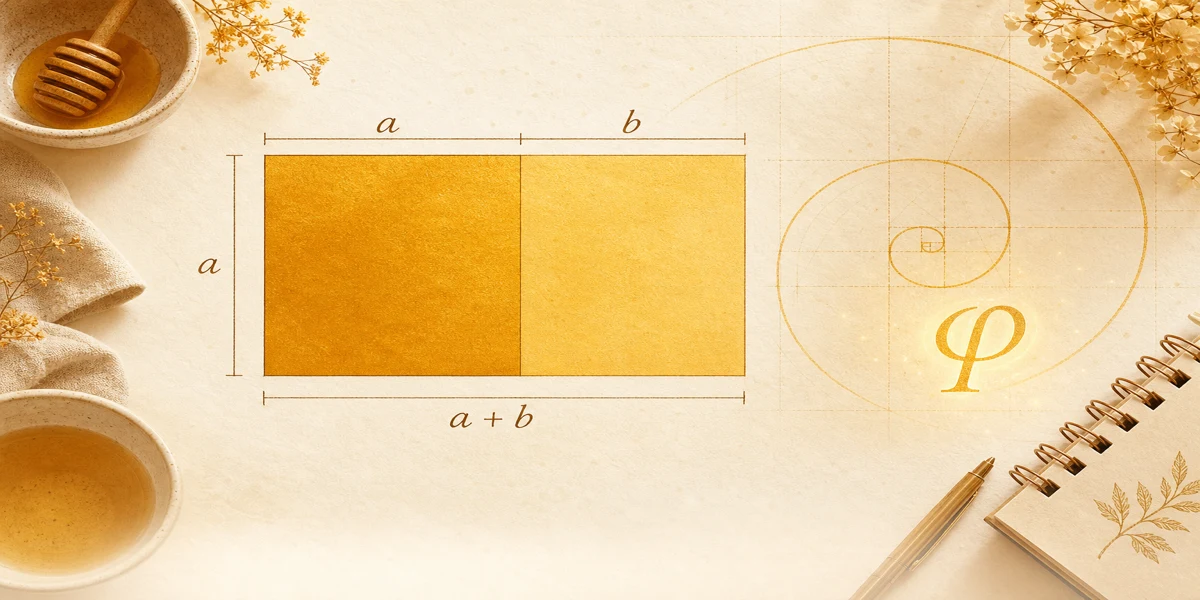
Enter a or b on the Golden Rectangle Calculator; the tool applies φ and shows a + b and area. Manual steps below match the tool.
Formula
This guide walks through the same pipeline as the Golden Rectangle Calculator: one known side, φ, then total width and area.
You only need one positive length because golden rectangles lock the other side through a ÷ b = φ.
This method assumes the square-plus-strip labels from our diagram. If a problem draws the figure differently, relabel before calculating.
Always verify with two ratios at the end, even when a computer gives you the numbers.
Typical goals: find strip width from square side, find square side from strip, find total width for a layout grid, or find area for material estimates.
Each goal uses the same formula reference but a different starting known. The calculator picks the path from whichever field you type.
Total width a + b is often the value designers paste into CSS or CAD width fields while height stays at a.
Area answers how much surface the outer rectangle covers, not just the square or strip alone.
Keep φ = 1.6180339887 visible on paper so you do not mistype a rounded 1.618 mid-chain.
If you prefer buttons to algebra, the {{linkB}} explains how the live tool enforces these equalities on each keystroke.
Division direction matters: b is smaller than a in the standard orientation, so b = a ÷ φ, not a × φ, unless you relabel sides.
These six steps match manual work and the browser tool.
Given b = 4 in: a = 4 × φ ≈ 6.472 in. Total width a + b ≈ 10.472 in.
Area ≈ 6.472 × 10.472 ≈ 67.7 in². Ratios: 10.472 ÷ 6.472 ≈ 1.618 and 6.472 ÷ 4 ≈ 1.618.
Type b = 4 into the calculator to confirm.
For metric homework, repeat with centimeters; φ has no unit, but a and b must share one.
Golden rectangle calculation is a short chain: solve one side, add width, multiply area, verify two ratios.
Manual practice builds intuition; the home tool saves time on real projects.
Pair this guide with the formula article when symbols feel abstract.
Golden rectangle and Fibonacci sequence: how ratios approach φ, exact side math vs integer pairs, and checks with our free calculator.
Golden rectangle in design for web layout, logos, UI, and photography. Set width a + b from height a using φ and the free calculator.
Golden rectangle vs golden ratio: how φ differs from labeled sides, when to use each idea, and ties to the free dimension calculator.